
Download Skyscraper – 3D building models, skyscraper visualization, architectural exploration, virtual building tours, C++ programming tool, Crystal Spaces engine
Overview
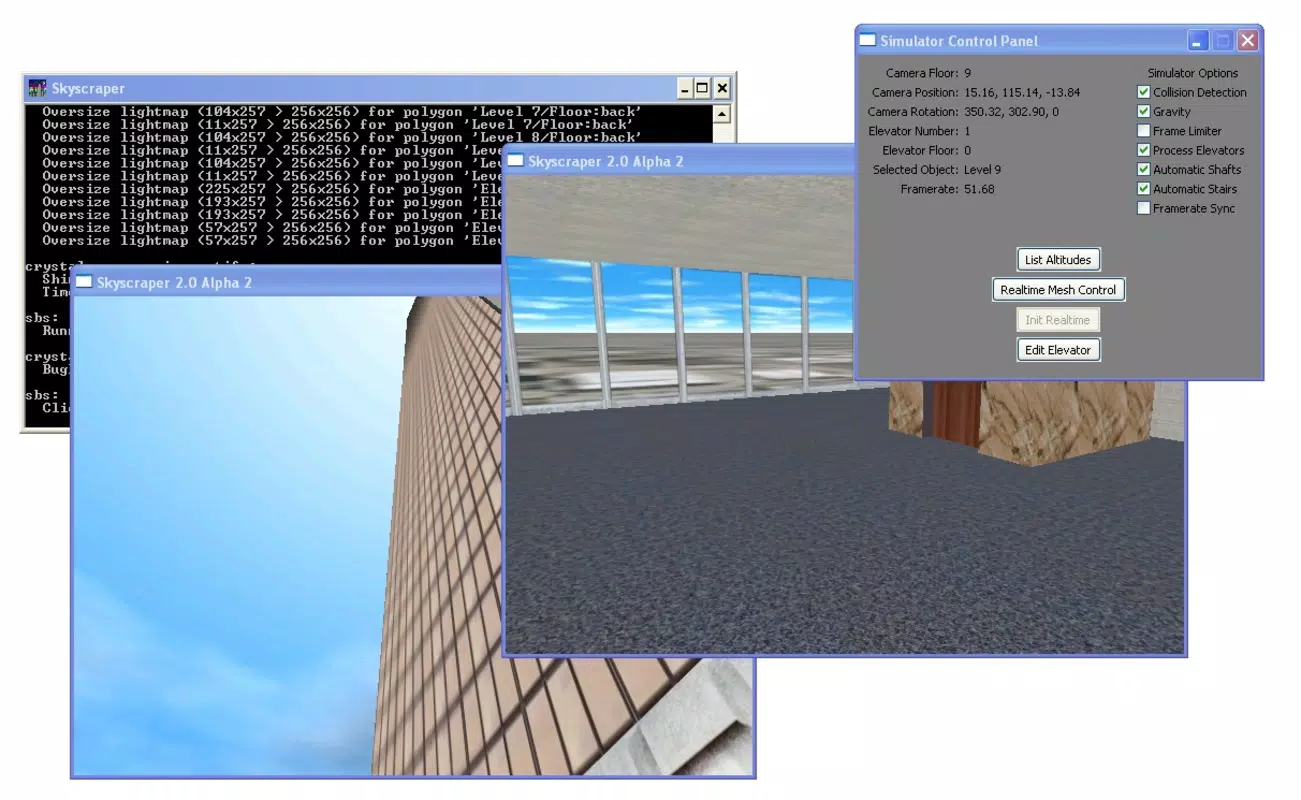
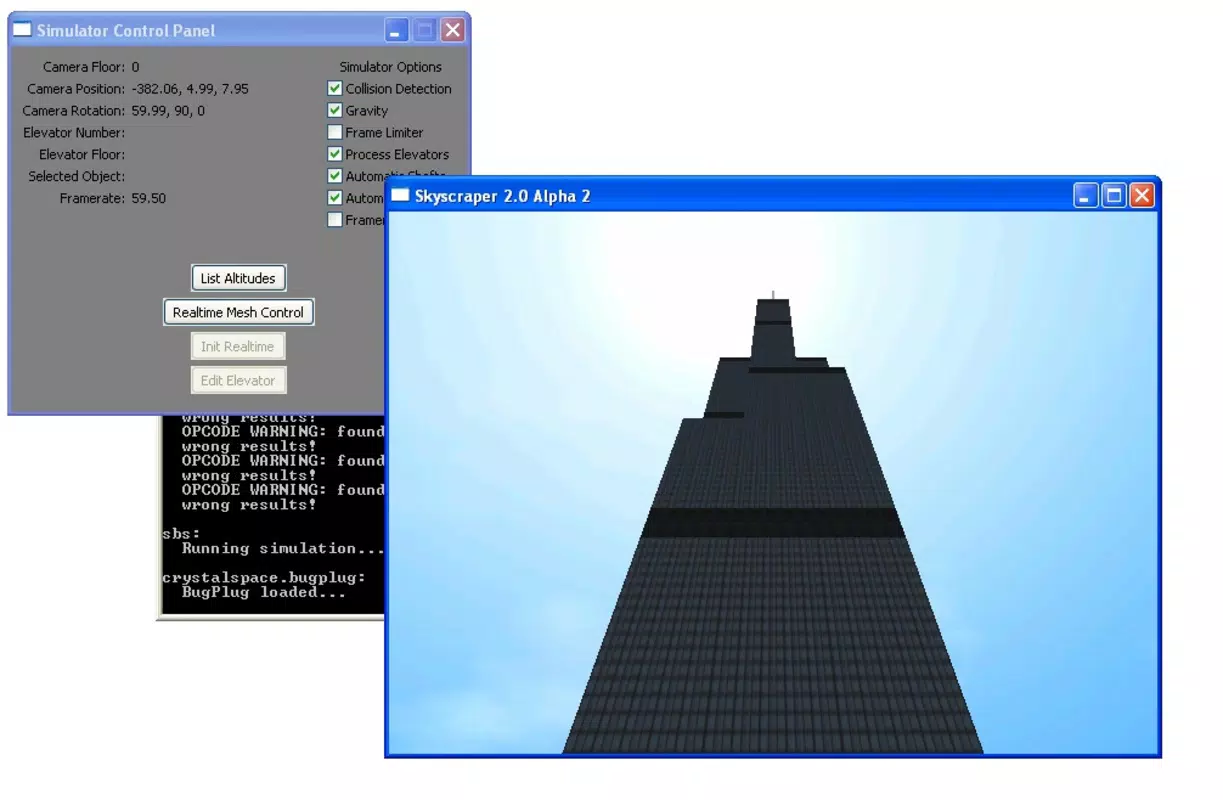
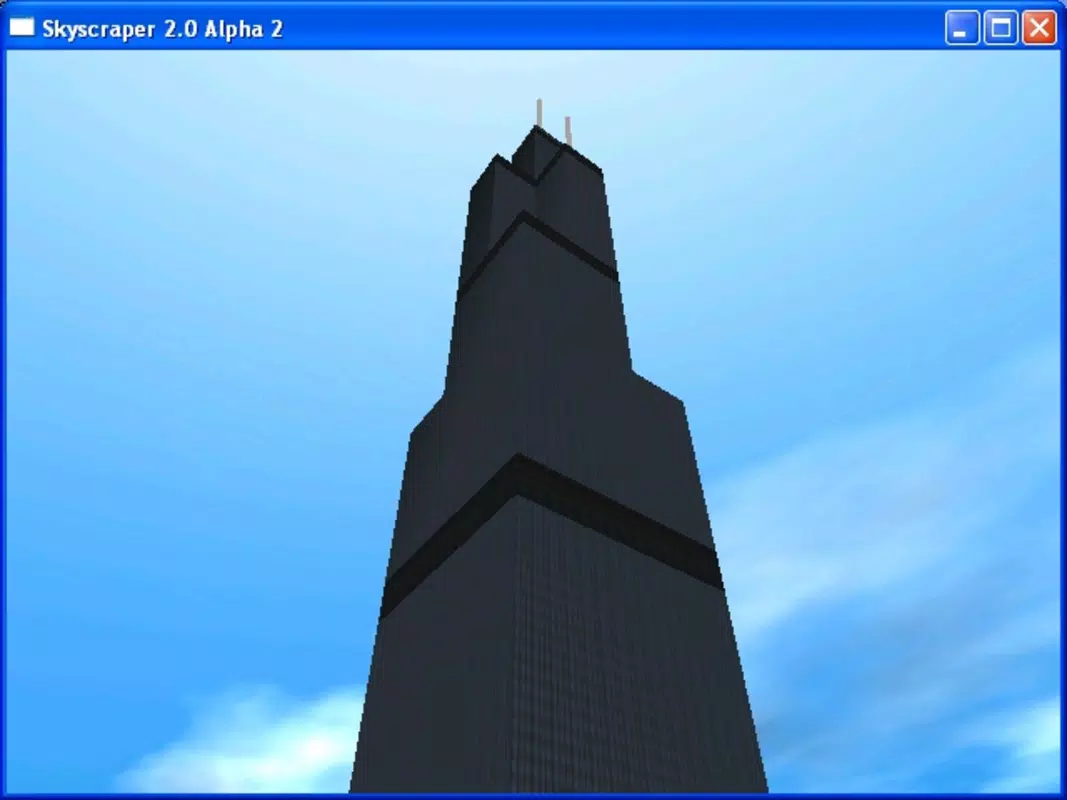
Skyscraper is a mobile application designed for users interested in architectural visualization and interactive 3D modeling. Developed using C++, the app leverages the Crystal Spaces graphics engine to render detailed and realistic representations of buildings and skyscrapers. Its primary purpose is to provide a platform for visualizing complex architectural structures in an immersive, interactive environment. This makes it particularly useful for students, hobbyists, and professionals exploring architectural design concepts.
The app enables users to explore three-dimensional building models in real time, offering a virtual tour experience that simulates real-world navigation. Users can move through structures using intuitive keyboard-based controls, such as arrow keys for direction, number keys for floor selection, and the Space Bar for jumping. This functionality supports both casual exploration and educational use cases, such as learning architectural layouts or understanding structural design.
Although the developer did not provide additional technical details, the app's foundation in C++ and use of a specialized graphics engine suggest a focus on performance and visual fidelity. Skyscraper contributes to the mobile productivity ecosystem by offering a unique tool for creative and technical exploration, bridging the gap between programming and spatial visualization. It stands out in the category of productivity apps by combining utility with immersive design, making it a distinctive choice for users seeking interactive architectural tools.
Key Features & Functionality
- Realistic 3D Modelling: Utilizes the Crystal Spaces engine to generate high-fidelity, three-dimensional representations of buildings and skyscrapers, offering users a visually rich and detailed environment.
- Interactive Learning Support: Includes a programming guide and sample code to help users understand the underlying C++ logic, enabling them to create and customize their own architectural models.
- Virtual Exploration: Allows real-time navigation through modeled buildings using intuitive controls—arrow keys for movement, number keys for floor selection, Space Bar for jumps, and Shift for acceleration.
- Advanced Elevator Simulator: Features a fully interactive elevator system where users can manually control doors, make emergency stops, and select specific floors via an in-app control panel.
- Immersive Interface: Presents a clean, well-organized user interface with tools arranged for efficient creation, editing, and navigation of architectural models.
These features support a range of practical applications. For example, architecture students can use the app to study spatial relationships between floors, while developers can experiment with C++ programming in a visual context. The elevator simulator adds a layer of realism, enhancing the experience for users interested in simulation and interactive design. The combination of programming education and architectural visualization creates a unique learning pathway, making the app valuable for both technical and creative users.
Interface, UX & Performance
The user interface of Skyscraper is designed to balance functionality with visual clarity. Tools are logically arranged to support both creation and navigation, minimizing clutter while maintaining access to essential features. The layout supports intuitive workflows, allowing users to switch between modeling, editing, and exploring with minimal friction.
Navigation within the app relies on keyboard-like controls, which are responsive and well-integrated into the interface. Users can move through buildings using arrow keys, select floors with number keys, jump with the Space Bar, and accelerate with Shift. These inputs are processed smoothly, contributing to a seamless exploration experience. Although the developer did not list formal performance metrics, the app’s 45 MB size suggests efficient resource usage, which may support stable operation on mid-range devices.
Responsiveness appears to be consistent across different device categories, though specific compatibility details were not disclosed. Stability during extended use is likely supported by the app’s lightweight footprint and efficient use of the Crystal Spaces engine. Users can expect smooth rendering of 3D models without significant lag, assuming standard device performance. The overall user experience is enhanced by the app’s focus on immersion and interactivity, making it suitable for both short sessions and longer exploration periods.
Platform Compatibility & Technical Requirements
Skyscraper is available on the Android platform. The current version is 1.0, with a file size of 45 MB. The app is free to download and install, making it accessible to a broad audience.
Although the developer did not specify minimum OS requirements, the app’s lightweight size and use of a mature graphics engine suggest compatibility with a wide range of Android devices. Users running Android 5.0 and above may be able to run the application, though this is not confirmed. The app does not require additional permissions beyond standard system access, but specific details were not provided.
Given its focus on 3D rendering, optimal performance may depend on device hardware, particularly GPU capabilities. However, the developer did not list specific hardware requirements. For users seeking a secure, up-to-date experience, installing the latest version from trusted sources is recommended. The app’s release date was March 15, 2024, indicating it is a recent addition to the mobile productivity space.
Pros and Cons
Pros
- High-quality 3D rendering powered by the Crystal Spaces engine.
- Free to download and install, with no in-app purchases.
- Supports interactive learning through programming guides and examples.
- Offers immersive virtual exploration with intuitive navigation controls.
- Includes an advanced elevator simulator for enhanced realism.
Cons
- Specific system requirements were not listed by the developer.
- Navigation relies on keyboard inputs, which may be less intuitive on touch-only devices.
- Limited availability information for device compatibility.
- No official support channels were mentioned.
- App size is small, but performance on low-end devices is unverified.
FAQ
Is Skyscraper safe to download and install?
Yes, the app is free and available through official channels. As it does not require elevated permissions, the risk of malicious behavior is low. Always ensure you install from trusted sources.
Can I use Skyscraper on iOS devices?
Currently, the app is only available on Android. No information was provided about iOS compatibility.
Does Skyscraper require an internet connection?
Based on the available information, the app appears to function offline. No data transmission or cloud features were mentioned.
How do I update Skyscraper?
Updates are typically delivered through the app store. Check your device’s app manager or the official source for the latest version.
Is Skyscraper suitable for educational use?
Yes, the app supports interactive learning through programming guides and architectural visualization, making it useful for students and educators in design and computer science.
Final Thoughts
Skyscraper stands out as a unique productivity tool that blends programming education with architectural visualization. Its use of the Crystal Spaces engine ensures high-quality 3D rendering, while the interactive features—especially the elevator simulator and navigation system—enhance user engagement. The app is particularly valuable for users interested in C++ programming, 3D modeling, or architectural design.
Despite limited technical documentation, the app’s intuitive interface and free access make it an accessible entry point for learners and creatives alike. While navigation via keyboard inputs may pose challenges on touch-only devices, the core experience remains immersive and rewarding. For anyone exploring the intersection of code and spatial design, Skyscraper offers a compelling, hands-on environment.
Download Skyscraper now


